

Realized and unrealized
- Realized is profit and loss from closed trades. Overview and the wallet table use this number.
- U. PnL on a token is mark-to-market: sold, plus what you still hold, minus what you bought. The trade sidebar PnL box uses the same formula.
Portfolio PnL
Overview is the portfolio view. The large number is lifetime Realized in USD, across your tracked wallets. 24h, 7d, and 30d sit under it.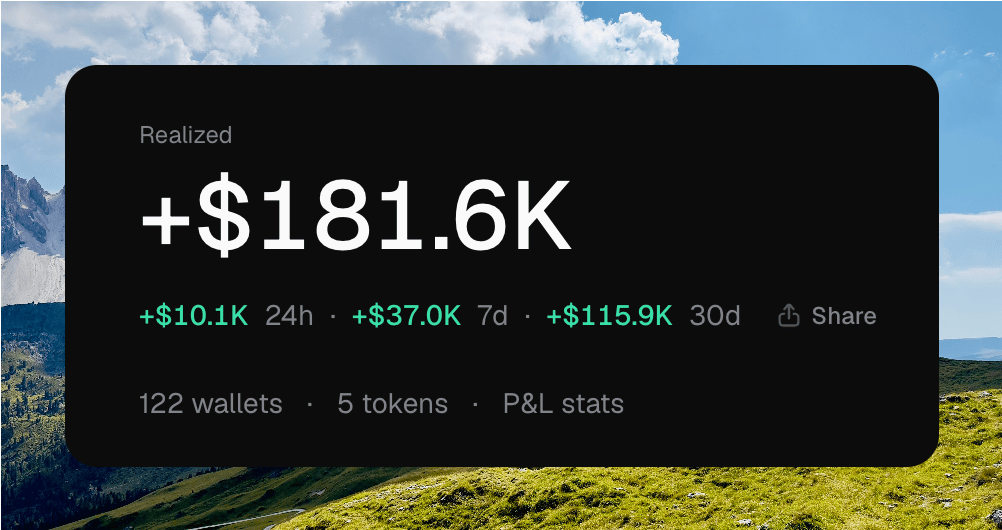
The Realized hero: lifetime total, period deltas, Share, and P&L stats
Realized stats
Click P&L stats, or the sparkline, to open the drawer. It repeats the lifetime total and the 24h / 7d / 30d row, then volume, win rate, hold time, and the rest.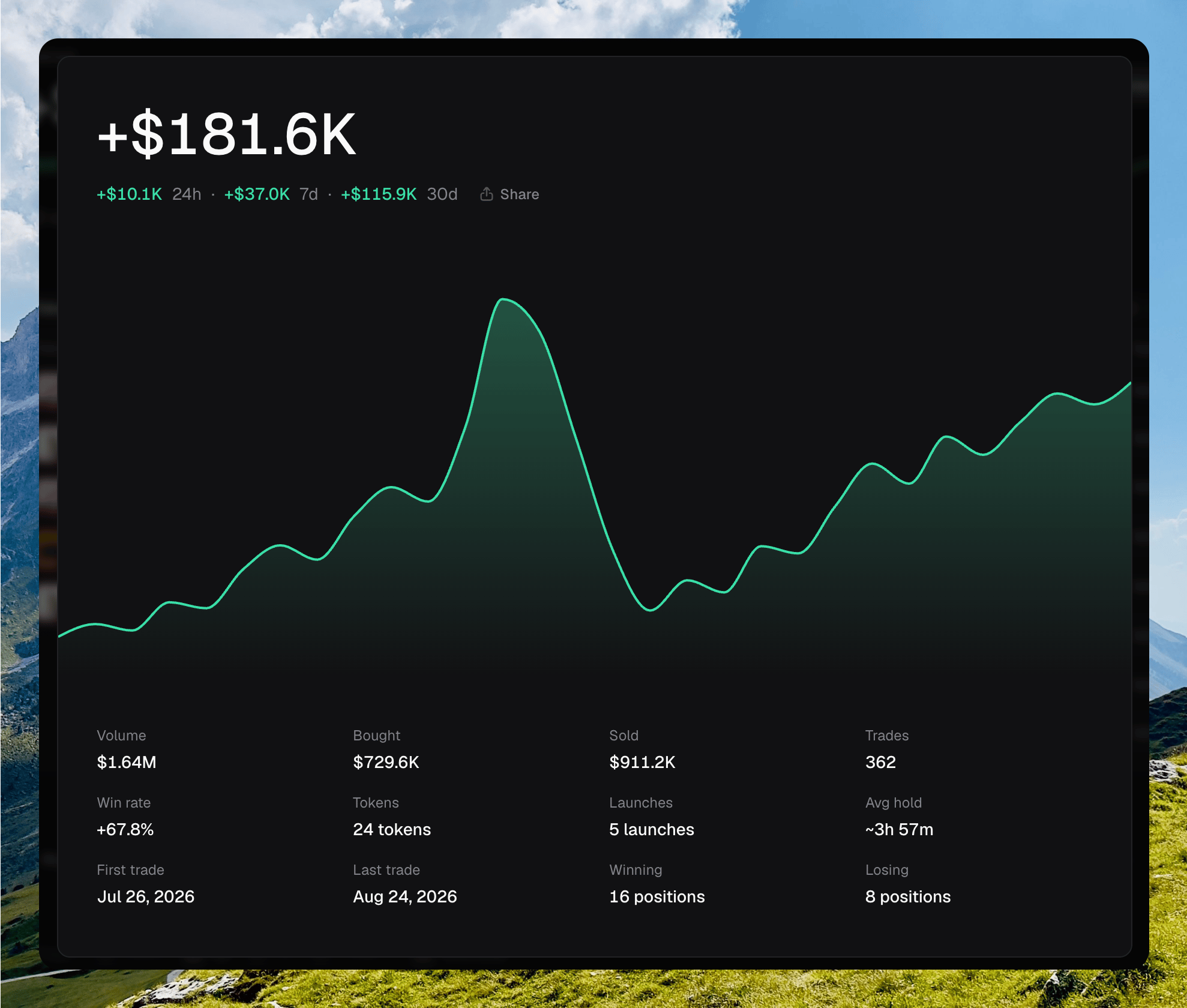
The realized stats drawer: lifetime total, chart, and stat grid
Per-token and per-wallet PnL
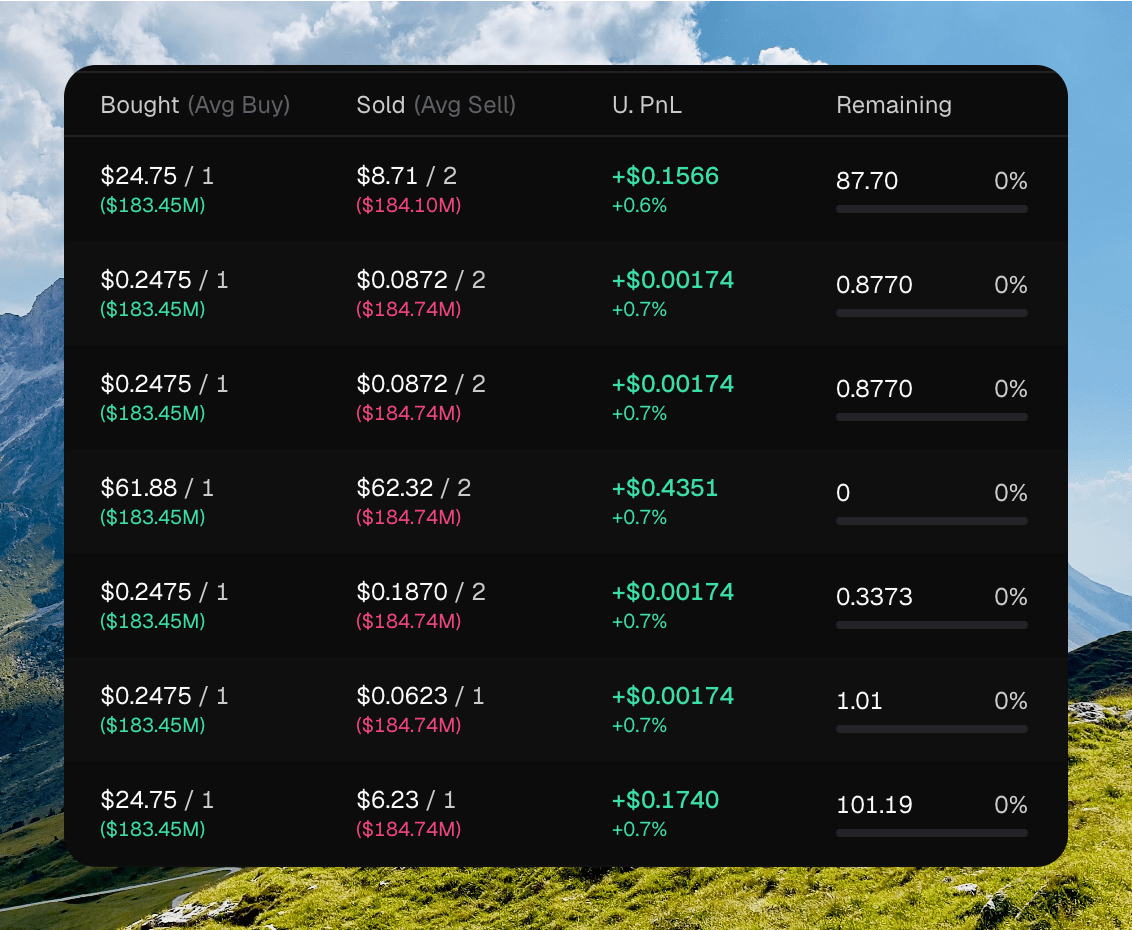
Token wallet rows with Bought, Sold, U. PnL, and Remaining
Share PnL
Share on Overview opens a GLOBAL card. You can toggle Wallets and User, pick a background, or upload your own. Copy or download the image.Sharing a GLOBAL PnL card
Sharing a token PnL card