

Overview after sign-in: Realized hero, Tokens, and Activity
The PnL chart
The large number is lifetime Realized PnL in USD, across your tracked wallets. Under it, Chipper shows the change over 24h, 7d, and 30d. The sparkline on the right plots that same realized series for the last month. Hover Expand, or click the sparkline, to open the fuller chart.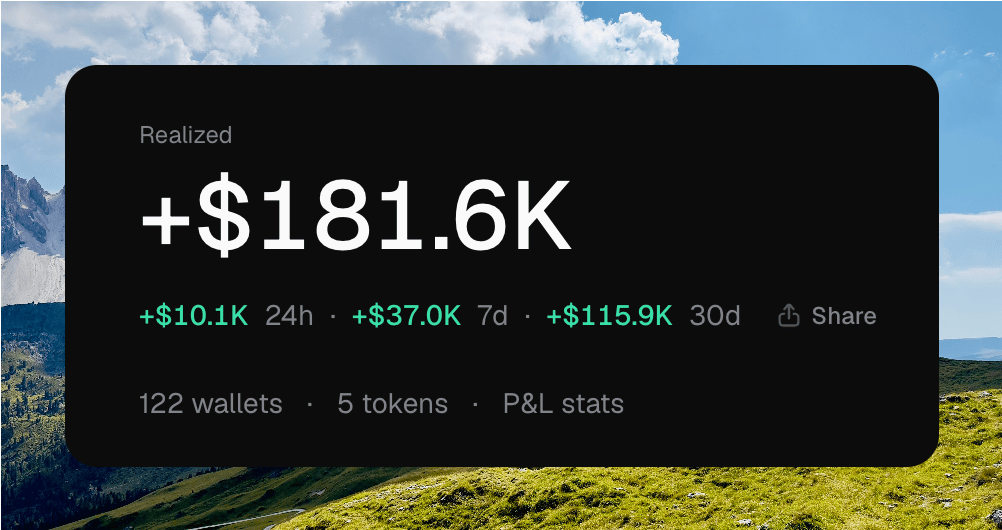
The Realized hero: lifetime total, period deltas, Share, and P&L stats
Overview does not show unrealized PnL. Per-token and per-wallet breakdowns live on those pages.
Summary metrics
The hero also links your workspace at a glance.- Wallets is how many non-archived wallets you have. Click it to open Wallets.
- Tokens is how many non-archived launches you have. Click it to open Tokens.
- Manage wallets goes to the wallet table.
- Create token starts a launch.
Realized stats
Click P&L stats, or the sparkline, to open the realized stats drawer.Opening P&L stats from the hero
Swipe down or click the backdrop to close the drawer.
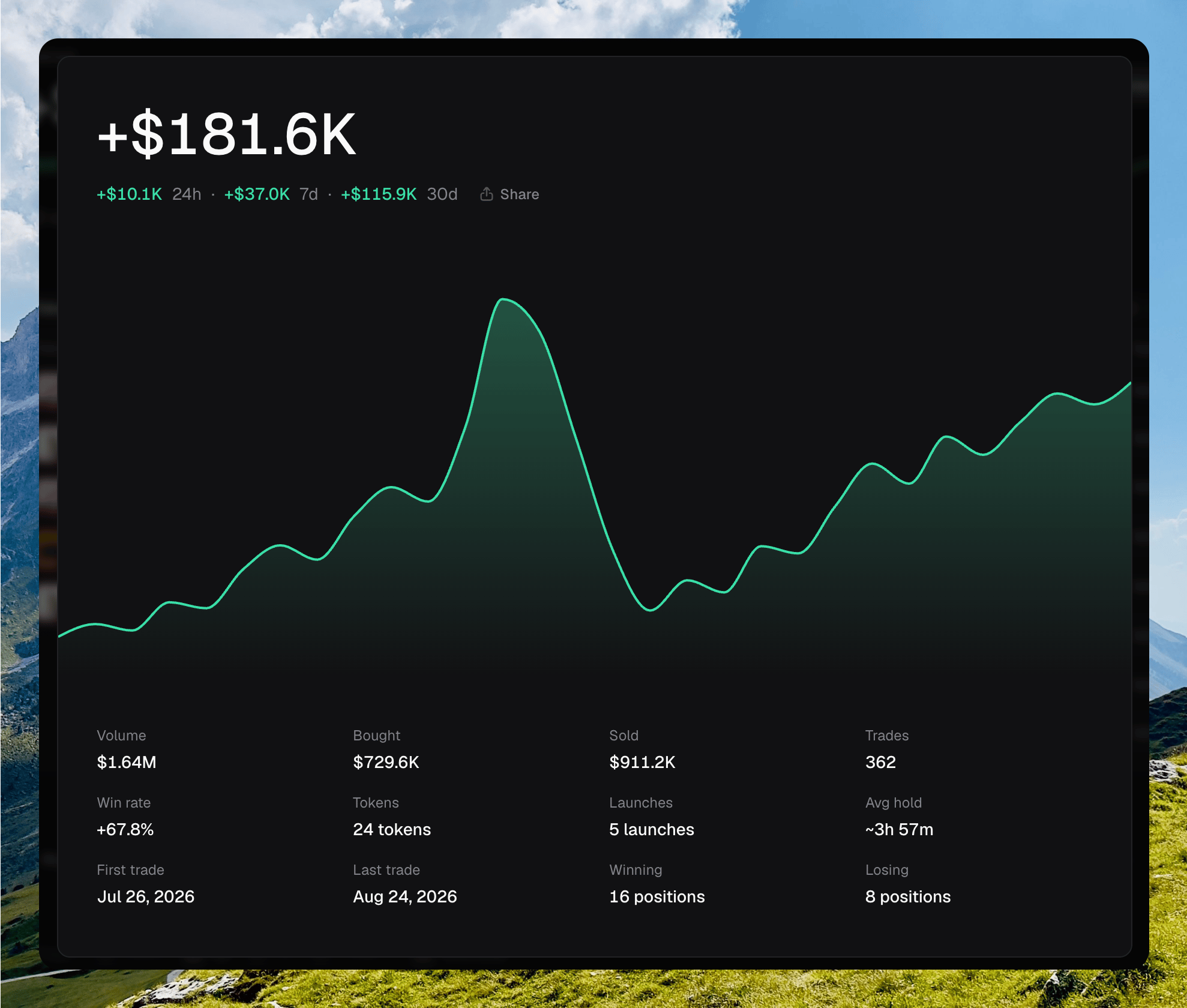
The realized stats drawer: lifetime total, chart, and stat grid
Share PnL
Share on the hero or in the drawer opens a card you can copy or download. The card is titled GLOBAL. You can toggle Wallets and User, pick a background, or upload your own.Sharing a GLOBAL PnL card
Tokens and Activity
The two panels preview the rest of the app. Each shows up to eight rows.- Tokens lists token, wallets, market cap, and 24h change. View all opens Tokens. Right-click a row for Copy address, Open explorer, and Archive.
- Activity lists type, event, amount, and age. View all opens Activity.
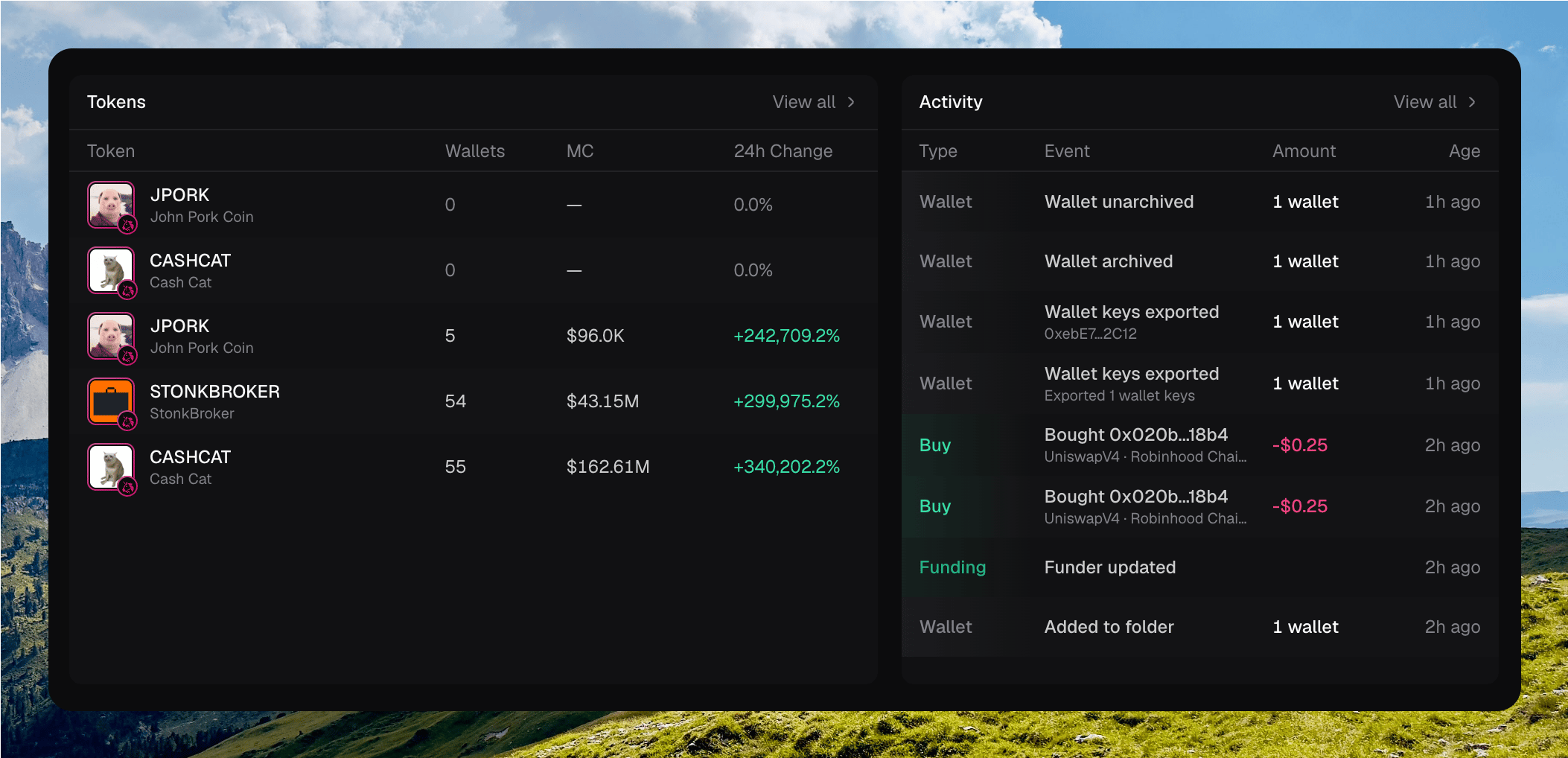
The Tokens and Activity preview tables, each with View all
Where to go next
Activity
The full log of buys, sells, deploys, and funding.
Wallets
The table, folders, and wallet actions.
Search
Jump to a token by name, ticker, or contract.
Keyboard shortcuts
Move through Chipper without the mouse.