

Burn destroys tokens from the wallets you selected. This cannot be undone.

Where to find it

Open a token page. In the trade sidebar, click Misc. or press ⇧ M, then Burn. Burn is on every chain. On Solana, Misc. also has Lock.
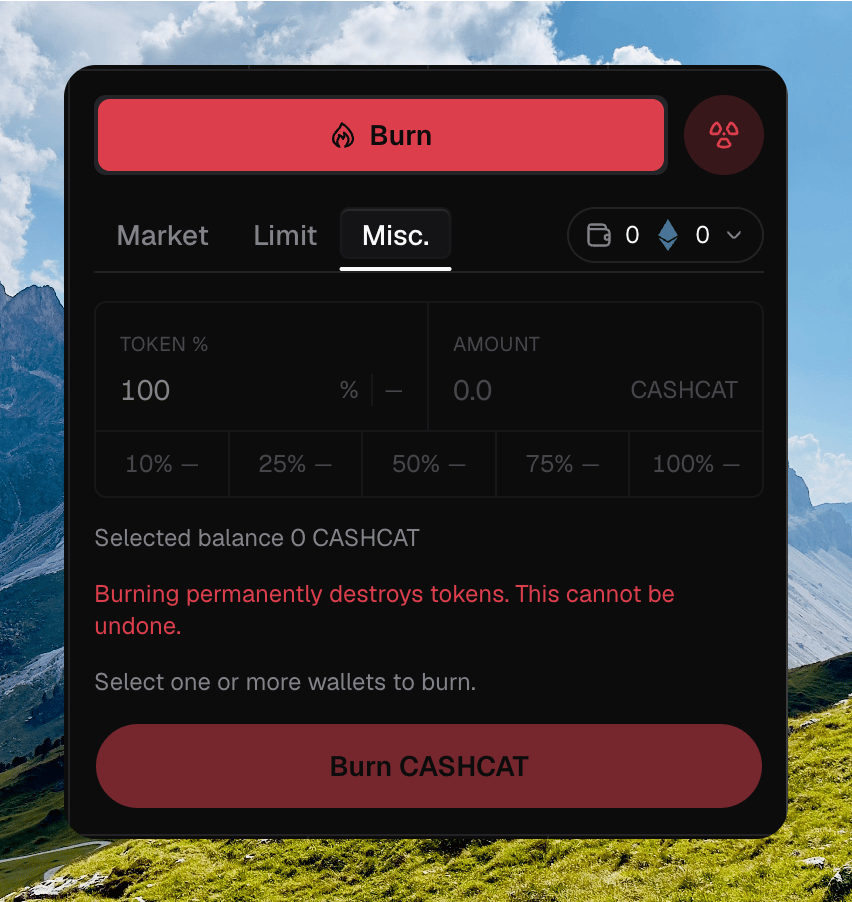
Trade sidebar on Misc. with Burn selected, Token % at 100, amount presets, destroy warning, and Burn CASHCAT

The trade sidebar on Misc. with Burn selected, Token %, presets, and the destroy warning

Amount

Pick Token % or a fixed Amount. Editing one updates the other. Percent presets are 10%, 25%, 50%, 75%, and 100%. Each chip shows the approximate token amount. Selected balance is the token balance across the wallets you picked.
Burning permanently destroys tokens. This cannot be undone.

Wallets

Chipper burns from every wallet you selected. The empty state says Select one or more wallets to burn. The submit button reads Burn , or Burn · N wallets.

What burning does

The tokens are destroyed. They do not move to another wallet. Chipper toasts Submitting burn…, then Burn confirmed or N burns confirmed. Failures toast Burn failed.