

Where to find them
Open the token, then look at the trade sidebar. Creator Fees sits with Balances, Trades, and Nuke Value. Click the box to open the Creator Fees dialog.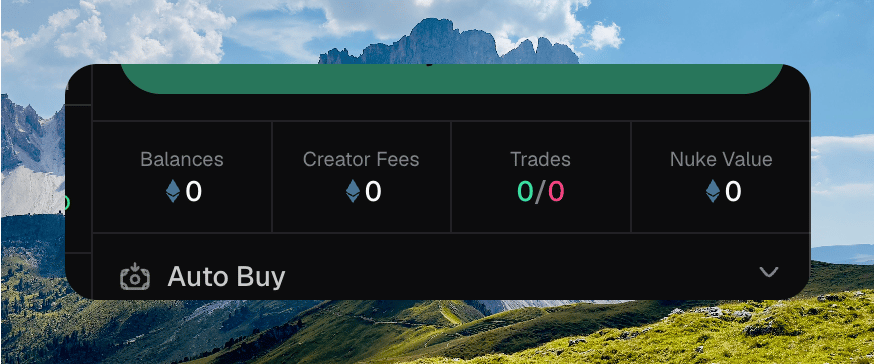
The trade sidebar with Creator Fees next to Balances, Trades, and Nuke Value
Attach the current fee recipient wallet to the token before you can claim or redirect fees. The row still shows whenever this token has creator fees.
Checking your balance
The dialog title is Creator Fees. The summary is labeled Unclaimed when you can claim, or Earned when you cannot. The amount uses the same native or USD toggle as the other sidebar totals. A secondary line shows the other unit when Chipper has it. Current recipient is the wallet fees go to. If a redirect is waiting, Pending recipient shows the next address. When there is nothing to claim, the description reads No unclaimed creator fees right now. Check back after more trading activity.Claiming
Hold Hold to claim when the balance is above zero. Fees land in the Current recipient wallet. Zero balance shows Nothing to claim. A recipient Chipper cannot sign with shows Not claimable. Chipper toasts Creator fees claimed! when the claim lands. Token history can filter to Creator fees.Opening Creator Fees and holding Hold to claim