> ## Documentation Index
> Fetch the complete documentation index at: https://docs.chipperg.xyz/llms.txt
> Use this file to discover all available pages before exploring further.
# Feedback & bug reports
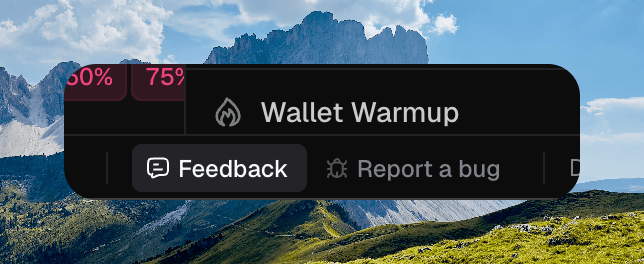
> Send ideas or bugs to the Chipper team from the footer.
**Feedback** and **Report a bug** live in the footer. Both open the same dialog. Switch tabs if you opened the other one.
Your report goes directly to the Chipper team in Telegram.
 ## Feedback
Use **Feedback** for ideas, friction, and things you want to see.
1. Write what you think in **What do you think?**
2. Optionally click **Attach screenshot**, then **View screenshot** to crop or zoom to the area you mean.
3. Click **Send feedback**.
## Report a bug
Use **Report a bug** when something went wrong.
## Feedback
Use **Feedback** for ideas, friction, and things you want to see.
1. Write what you think in **What do you think?**
2. Optionally click **Attach screenshot**, then **View screenshot** to crop or zoom to the area you mean.
3. Click **Send feedback**.
## Report a bug
Use **Report a bug** when something went wrong.
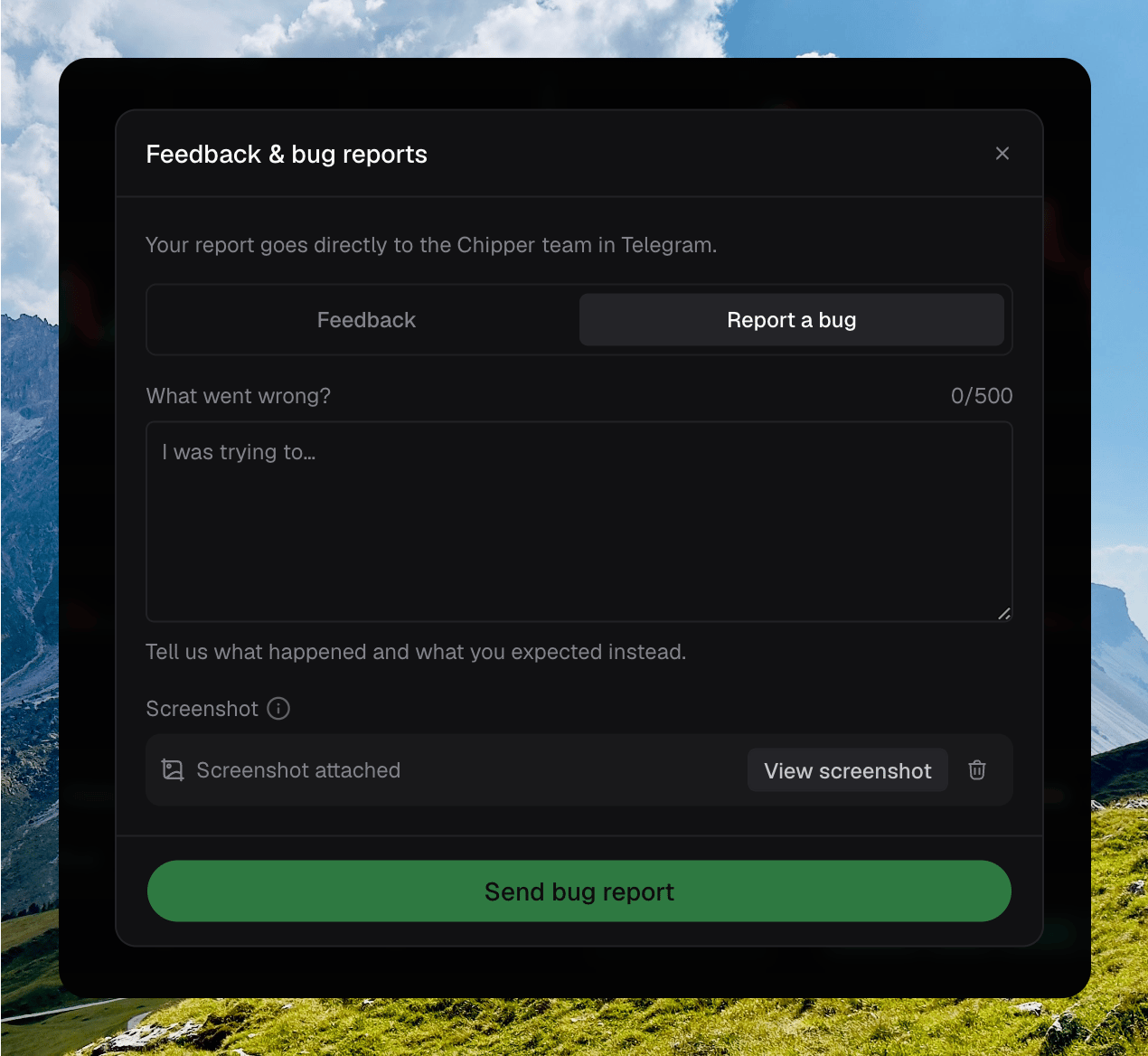 1. Write what happened and what you expected in **What went wrong?**
2. A screenshot of the current view is attached automatically, with the page you were on. Click **View screenshot** to crop or zoom. Remove it if you do not want it sent. If capture fails, click **Retry screenshot** or send without it.
3. Click **Send bug report**.
Chipper confirms **Sent to the Chipper team** when it lands.
1. Write what happened and what you expected in **What went wrong?**
2. A screenshot of the current view is attached automatically, with the page you were on. Click **View screenshot** to crop or zoom. Remove it if you do not want it sent. If capture fails, click **Retry screenshot** or send without it.
3. Click **Send bug report**.
Chipper confirms **Sent to the Chipper team** when it lands.