> ## Documentation Index
> Fetch the complete documentation index at: https://docs.chipperg.xyz/llms.txt
> Use this file to discover all available pages before exploring further.
# Search
> Jump to a token by name, ticker, or contract.
Search lives in the header. Click **Search by token or CA...**, or press **/** or **⌘ K**.
## What you can find
Search looks up tokens by name, ticker, or contract address across Solana, BNB, and Robinhood.
Each result shows market cap, volume, and liquidity. Click a row, or press **Enter**, to open that [token page](/trading/token-page). Copy the contract from the row if you need the address.
## Filters and sort
Use the menus in the dialog to narrow the list.
* **Chains** toggles **Solana**, **BNB**, and **Robinhood**. At least one chain stays selected.
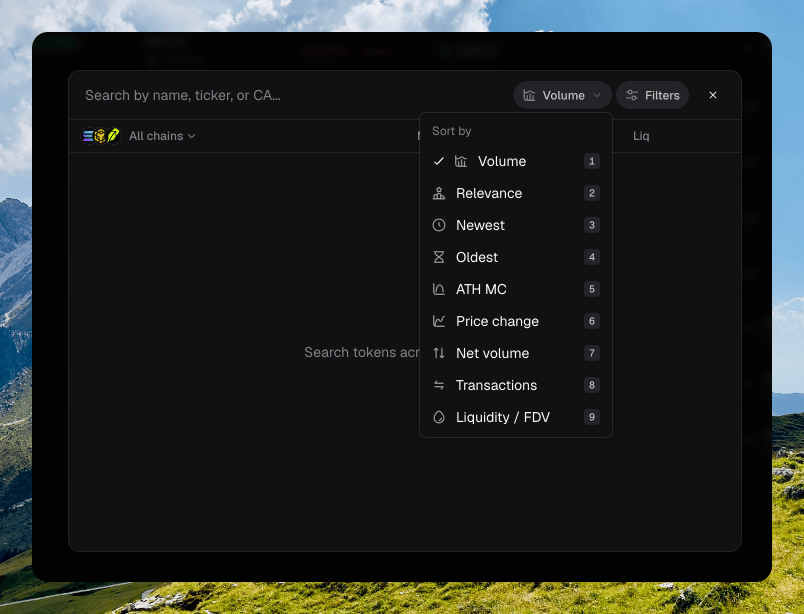
* **Sort by** defaults to **Volume**. The other options are **Relevance**, **Newest**, **Oldest**, **ATH MC**, **Price change**, **Net volume**, **Transactions**, and **Liquidity / FDV**.
* **Filters** cover migration status, protocol, and a liquidity USD range. **Reset filters** clears them.
 These choices stay for the session. They do not save to your account.
## Copied contract addresses
When your clipboard holds a valid contract, a chip appears to the left of search. It shows the token symbol and quote pair. Click it to open that token.
The chip hides while you are already on that token page. Chipper checks the clipboard when the window is focused.
On [Tokens](/trading/tokens), you can also paste a contract into the page filter. Press **⌘ F** to focus that field.
These choices stay for the session. They do not save to your account.
## Copied contract addresses
When your clipboard holds a valid contract, a chip appears to the left of search. It shows the token symbol and quote pair. Click it to open that token.
The chip hides while you are already on that token page. Chipper checks the clipboard when the window is focused.
On [Tokens](/trading/tokens), you can also paste a contract into the page filter. Press **⌘ F** to focus that field.